Web App · 2026
ASCII9
Turn a photo into ASCII art in the browser and download it as PNG, JPG, or text, sized for posts, profile pictures, and wallpapers. No image is ever uploaded.
The problem
ASCII9 started as a demo I made with Lovable. It worked, but I couldn't change much in that code, and the page looked like a generic template. I wanted a site that does one thing: turn an image into ASCII art you'd actually post, set as a profile picture, or use as a wallpaper. It had to be easy for a first-time visitor, light on resources, and built from code I can read and change myself.
What I built
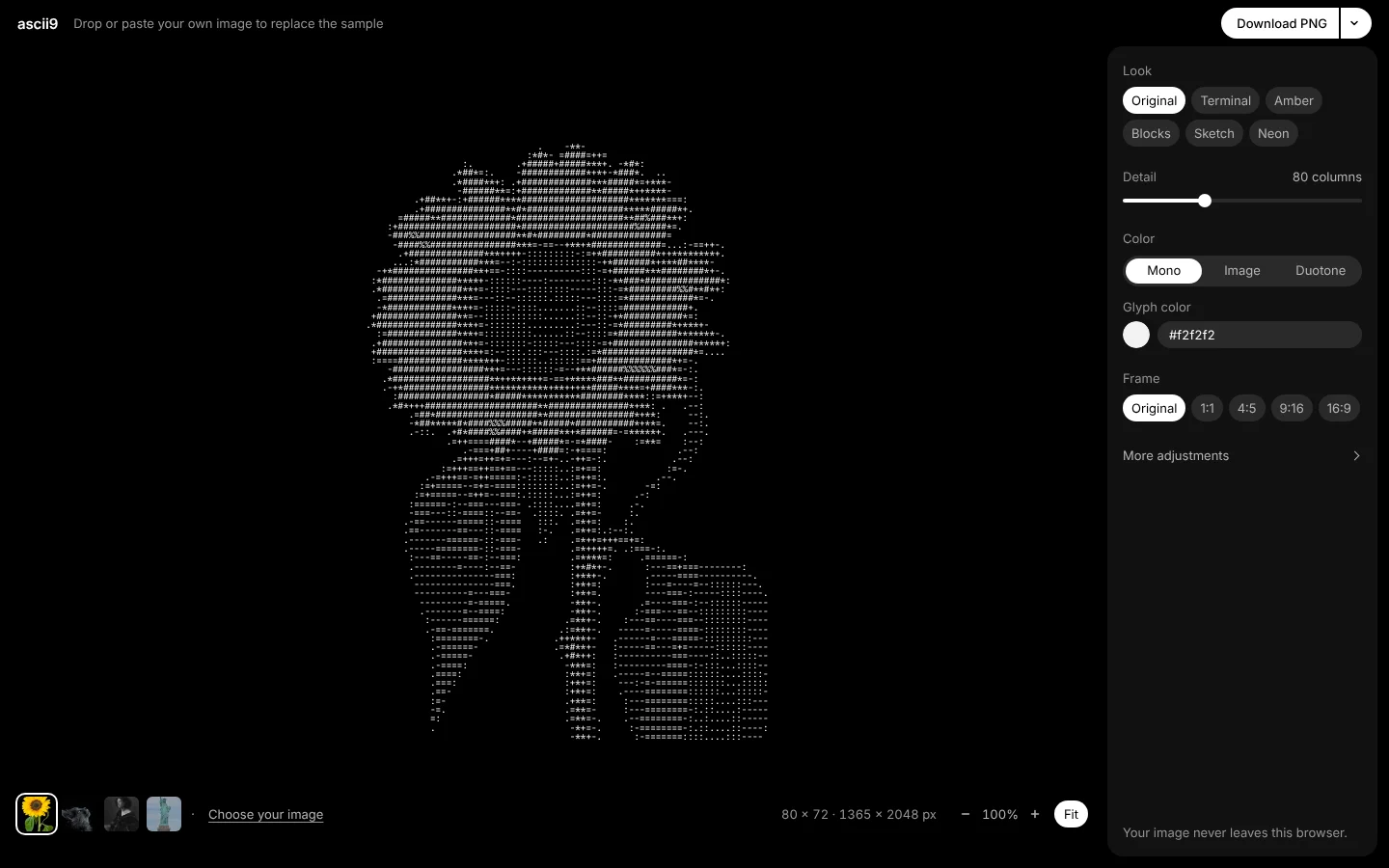
ASCII9 is one screen that loads, converts, and exports. It opens on a sample that's already converted, so Download works right away. Dropping, pasting (Ctrl/Cmd+V at any time), or choosing a file replaces it.
The panel shows four things up front:
- Look: six presets (Original, Terminal, Amber, Blocks, Sketch, Neon).
- Detail: 20–200 columns.
- Color: Mono, Image, or Duotone.
- Frame: Original, 1:1, 4:5, 9:16, or 16:9, with Fill or Fit.
Everything else (style, character set, tone sliders, invert, flip, edge detection, Auto adjust) sits under "More adjustments", so a newcomer never faces a wall of sliders. On mobile, the controls move into a bottom dock and sheet.
Download saves a PNG at the exact pixel size the frame needs: 1080 × 1350 for 4:5, 1080 × 1920 for 9:16, 2560 × 1440 for 16:9. JPG and plain-text export are a menu away.
Technical decisions
- Svelte 5 + Vite + TypeScript for a small bundle and markup that stays readable. Runtime dependencies are
svelteand two@fontsourcefont packages. There's no router, no component kit, and no toast or animation library. - The engine is plain TypeScript, separate from the UI. It runs in a Web Worker with
OffscreenCanvas, so dragging a slider never blocks the page. Jobs are debounced and stale ones are dropped, and the last render stays on screen until the next is ready, so there's no flicker. - One cell grid, every output. The engine returns typed arrays (a glyph index and an RGB colour per cell). The canvas preview, PNG/JPG, and TXT are all drawn from that grid, so what you see is what you download. Nothing parses HTML.
- Conversion details that matter. On a black background, bright pixels map to dense glyphs. Sobel edges clamp at the borders instead of leaving a black frame. Custom character sets are split with
Intl.Segmenter, so emoji and combined characters stay whole. Grid rows come from the font's measured cell aspect, not a fixed factor. - Privacy by construction. It's a static site with no server code. The image never leaves the browser, and only settings are saved, to
localStorage.
Outcome
ASCII9 is live at ascii.naay.cc as a static Vite build on Vercel. 13 Vitest files cover the engine (ramp mapping, tone, colour, Sobel edges, grid sizing per frame, Auto adjust), the renderer, and input handling.
What I learned
Rebuilding from a written spec beat patching generated code. I first wrote down exactly what the old demo did, including its defects, then wrote an MVP design that cut scope hard: no gallery, no extra styles, no SVG or HTML export. Keeping the heavy work in a worker behind one data structure (the cell grid) kept the UI simple and made the engine easy to test without a browser.